How to get support 🍕
Need help? We're here for you!
When you reach out to support, sharing your Pizza Tag helps us quickly identify your account and provide faster assistance.
Help us when asking for help
The Pizza Tag is a simple way to provide us with information about your account when you need personal assistance. It's a quick reference that helps our support team identify your account and investigate any issues you're experiencing.
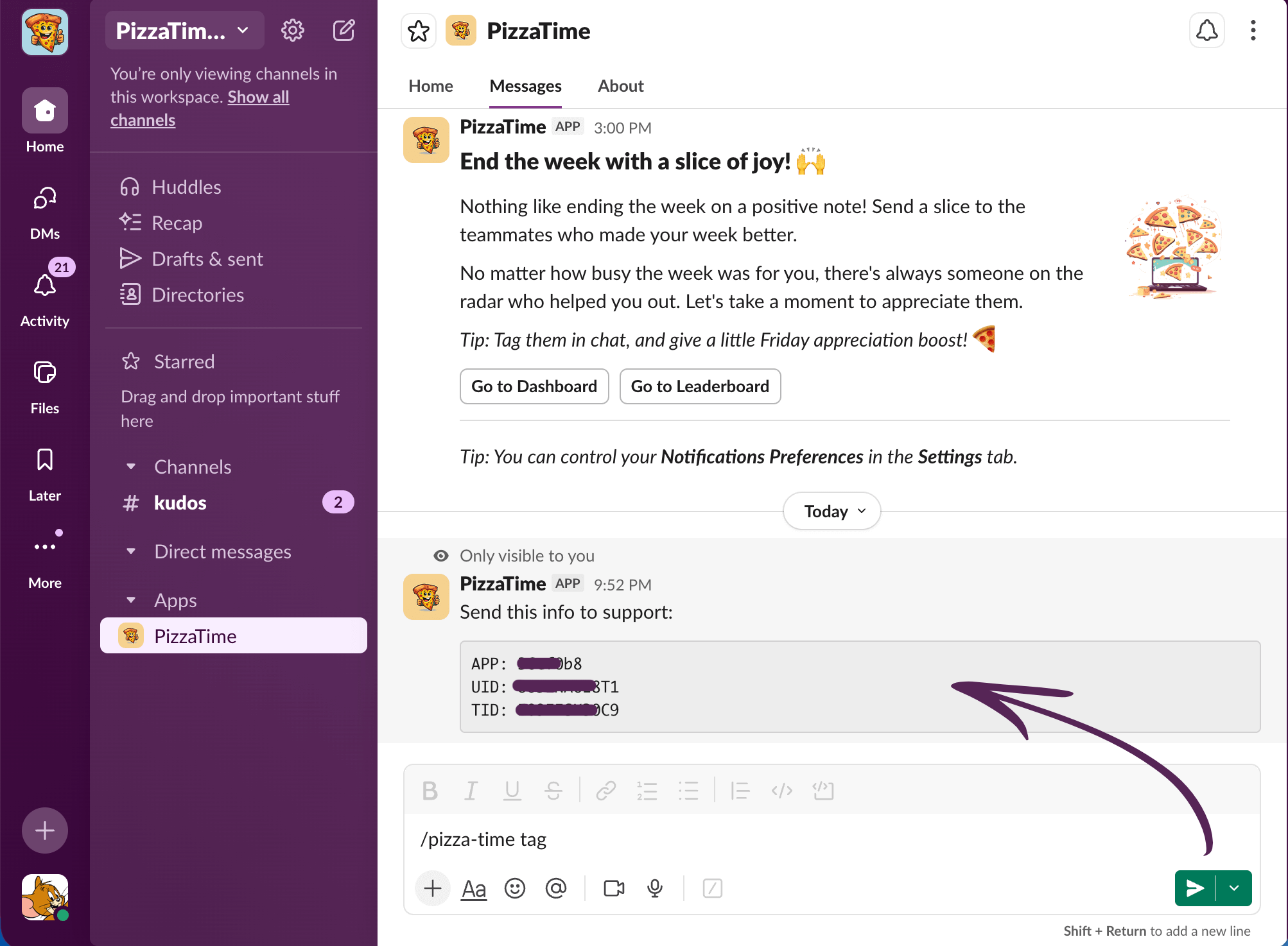
Using the Slash Command
The quickest way to get your Pizza Tag is by using the slash command directly in Slack:
1. Open a direct message with PizzaTime:
2. Send the command:
/pizza-time tag and send the message.3. Copy your Pizza Tag:
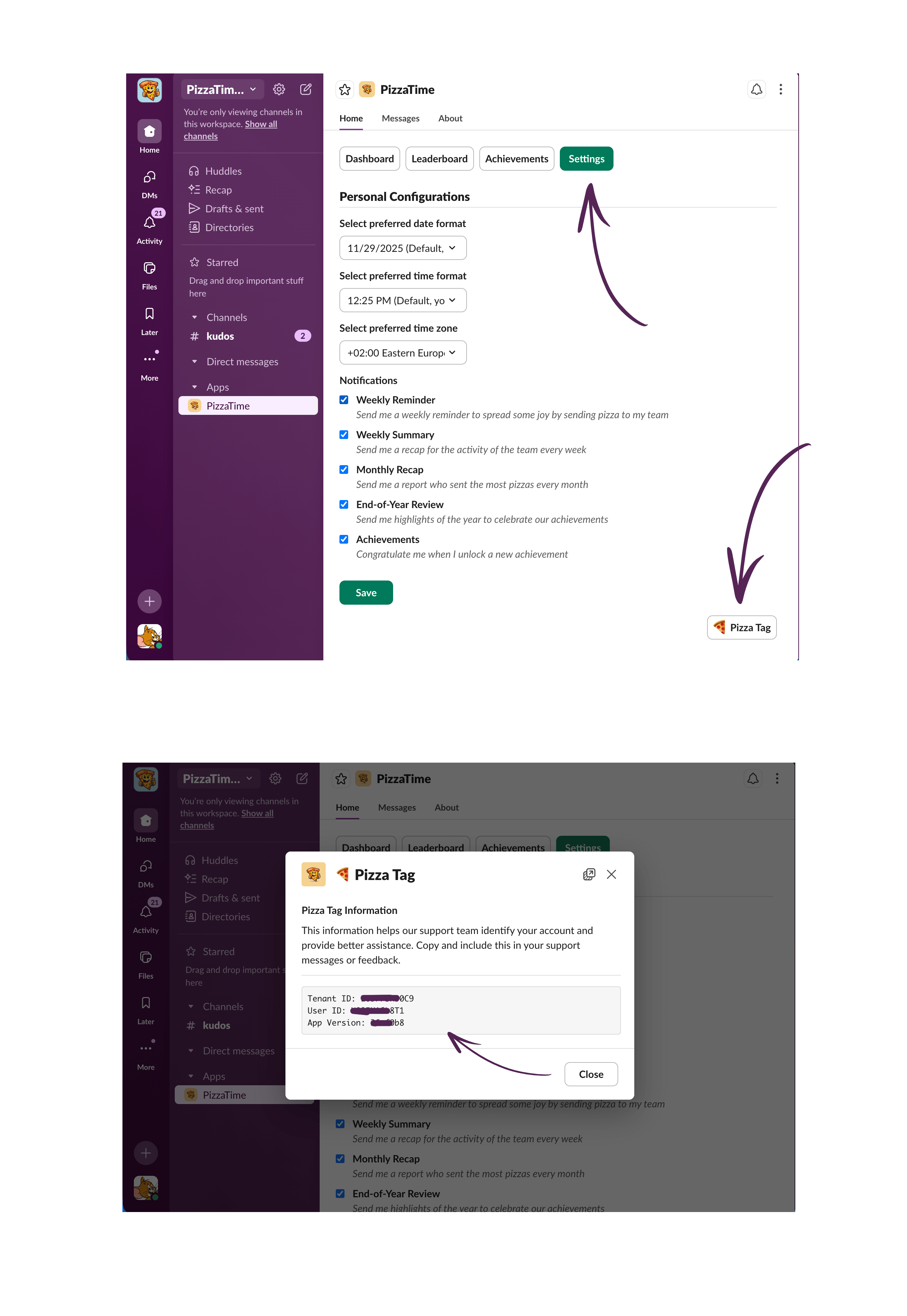
Using the App Settings
You can also find your Pizza Tag through the PizzaTime app settings in Slack:
1. Open PizzaTime in Slack:
2. Go to Settings:
3. Find the Pizza Tag button:
4. Click the Pizza Tag button:
5. Copy your Pizza Tag:
What's included in the Pizza Tag?
The information included in your Pizza Tag is related to your Slack workspace – it's not something special generated by PizzaTime, just standard workspace identifiers that help us locate your account quickly and provide personalized assistance in case of emergency or when you need personal support.
- UID - Your unique identifier in Slack
- TID - Your organization's Slack workspace identifier
- APP - The version of PizzaTime you're currently using
We’ve got more answers!
Missing Information?
You don't see the answers you've been searching for? Reach out to us and we'll get back to you as soon as possible!