Create your own team
Your company is too big and you can't find what you want to see on the leaderboard? Instead, you can see the stats for your team only. Just create a custom team and assign it to your chats.

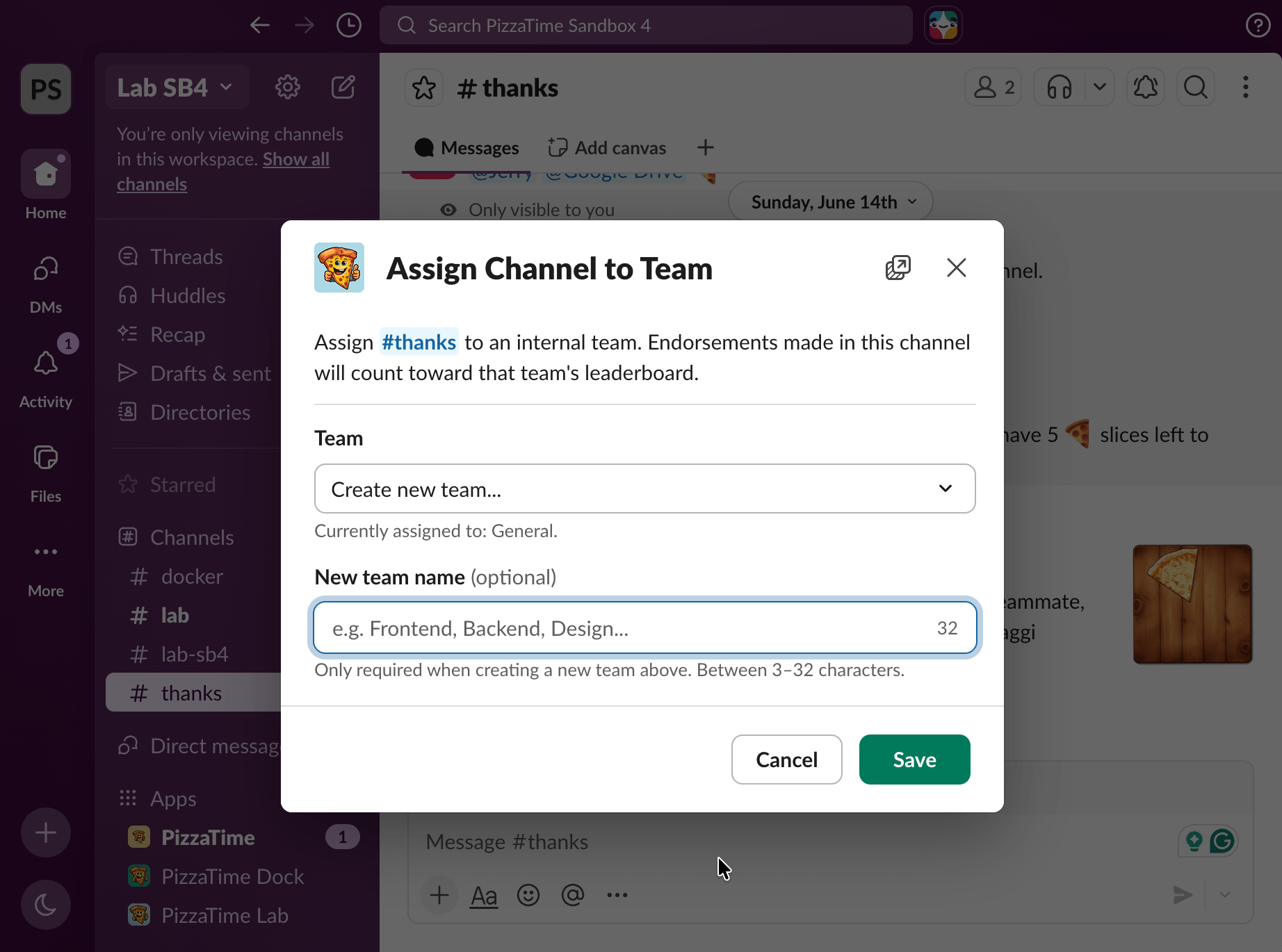
How to Create a Custom Team
Custom teams are managed via the slash command in Slack.
1. Open a Channel or group chat (DM)
Open any channel, chat or direct message where the PizzaTime app is present.
2. Use the Slash Command
Type
/pizza-time team and send the message.3. Create Your Team
Follow the prompts to name your team or assign the chat to an existing team.
4. Save
Once created, all the pizza you send in this chat will count on the leaderboard for your team only, and members can configure their per-team report preferences.
Top Recipients
 Alice
Alice
68
 Charlie
51
 Eve
Eve
48
 Bob
Bob
23
 David
David
10
Top Senders
Bob
88
Alice
72
Charlie
40
Activity Summary for my team
Each team member can subscribe to receive activity reports for only the teams they care about.
Stay Focused on Your Team
Instead of seeing the entire company's activity, you get a clear picture of what's happening within your own group. Track who's making an impact among the people you work with every day.
Multiple Teams, One View
If you belong to several custom teams, you can subscribe to reports for each one. Each notification is clearly labeled so you always know which team it's about.
Flexible Preferences
Choose different report frequencies per team - maybe weekly for your core team and monthly for a cross-functional project. Change or unsubscribe at any time.
Help Center
We’ve got more answers!
No complicated manuals, just simple answers to help you get the most out of PizzaTime - the FAQ section has you covered.
Missing Information?
You don't see the answers you've been searching for? Reach out to us and we'll get back to you as soon as possible!